Laser247 Paytm Deposit: Paytm UPI vs Wallet, Steps and Limits
For a laser247 Paytm deposit, use Paytm’s UPI option linked to your own bank account, not the Paytm Wallet balance. You ask us for today’s UPI ID or QR, pay it from Paytm, and send the screenshot showing the 12-digit UPI reference number. The confusion we see most often is people mixing up the two money sources inside the Paytm app, so this guide starts there.
Paytm UPI vs Paytm Wallet: the difference that matters
Paytm is two products in one app. When you pay, the app may offer more than one source, and only one of them suits a laser247 deposit.
| Point | Paytm UPI | Paytm Wallet |
|---|---|---|
| Where the money comes from | Your linked bank account | A stored balance inside Paytm |
| Generates a UPI reference (UTR) | Yes, 12 digits | No bank UTR in the usual form |
| Name shown to receiver | Your bank account name | Your Paytm profile name |
| Suitable for Laser247 deposits through us | Yes | No, unless we confirm otherwise in chat |
Wallet services have also been through regulatory changes in recent years, and what a wallet can receive or send depends on its KYC status and the bank behind it. Paying through UPI from your own bank account avoids all of that.
Your Paytm UPI ID usually ends in a partner-bank handle such as @ptyes, @ptaxis, @pthdfc or @ptsbi. If you’re not sure your UPI is set up, open Paytm, tap your profile picture and look for “UPI & Payment Settings”.
How to make a laser247 Paytm deposit
- Ask for details. Message us “deposit”, your username and the amount. We reply with the UPI ID or QR and the current minimum.
- Open “UPI Money Transfer” or “Scan & Pay”. For a UPI ID, choose “To UPI ID” (labels change slightly across app versions). For a QR, tap Scan, then the gallery icon if the QR image is on the same phone.
- Verify the name. Paytm shows the receiver’s registered name. It must match what we told you.
- Pick the payment source carefully. On the final screen, Paytm lists sources. Choose your bank account under UPI, not “Paytm Wallet” or “Postpaid”.
- Enter the exact amount and pay with your UPI PIN.
- Screenshot the details page. Go to “Balance & History”, tap the payment and capture the screen showing amount, time and “UPI Ref No.” (the 12-digit UTR).
- Send it in the chat. We match it and credit your laser 247 balance.
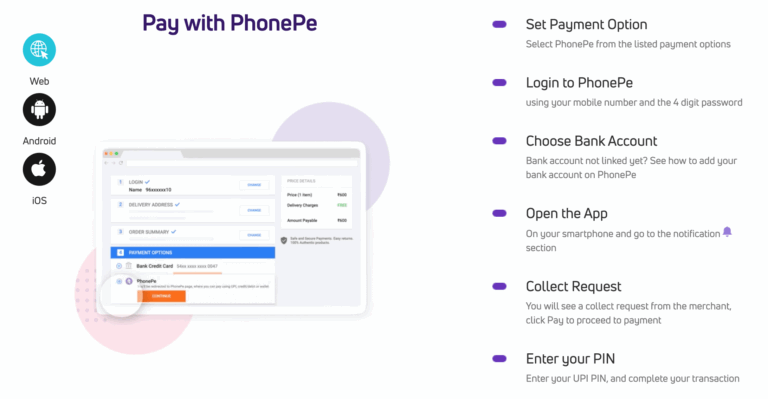
New to IDs? Our guide to registering a Laser247 ID takes about five minutes to follow. For other apps, see the PhonePe deposit guide, or the broader Laser247 UPI deposit guide for pending and failed payments in any app.
KYC and limits: why Paytm sometimes blocks a larger amount
We can’t see your limits, and they vary by person, so here is how they generally work:
- UPI limits come from your bank. Paying through Paytm UPI uses the daily cap your bank sets, the same as any other UPI app. Many banks allow around ₹1 lakh a day, with lower caps on some accounts.
- New-device limits. If you’ve just installed Paytm or re-registered UPI on a new phone, some banks restrict how much you can send for the first day.
- Wallet limits depend on KYC. Minimum-KYC wallets carry much lower monthly limits than full-KYC ones, which is one more reason to stick to UPI.
Worked example: you want to deposit ₹80,000 but you set up Paytm on a new phone this morning. Paytm returns an error saying you’ve reached your limit. You could pay a smaller amount today and the rest tomorrow, use another UPI app on a phone where UPI is already active, or ask us for IMPS bank details. All three get your laser247 balance funded without any workaround.
Common Paytm errors we see in support chats
“Transaction declined by bank”
Usually a daily limit, wrong PIN attempts, or the bank server being busy. Wait 15 minutes, check your bank’s UPI limit in its own app, then try again.
“Payment pending”
Don’t pay a second time. Send the pending screenshot with your username. Most settle within an hour. If it fails and you were debited, your bank normally reverses it by the next working day.
Paid from Wallet by mistake
Tell us straight away with a screenshot. We’ll check whether it reached the receiving account. If it can’t be matched, the reversal is handled through Paytm’s support on that transaction.
Paid successfully but balance not updated
Send the details screenshot again, making sure the UPI Ref No. is visible. Cropped screenshots are the most common cause of delays at our end.
Keeping Paytm deposits safe
- Only pay to details we send you in the current chat. Anyone else offering “Laser247 Paytm numbers” is not us.
- You never need your PIN to receive money. Decline any collect request claiming to be a laser247 refund.
- Use a bank account in the same name as your ID. Third-party payments are returned.
Ask us on WhatsApp for Paytm UPI deposit details and we’ll reply with the payee name and minimum.
Frequently asked questions
Can I use my Paytm Wallet balance for a laser247 deposit?
We ask you to pay through Paytm UPI from a linked bank account. Wallet payments don’t produce the usual bank UTR, so they’re harder to match and are not accepted unless we confirm otherwise.
Where is the UTR in Paytm?
Open “Balance & History”, tap the payment, and look for “UPI Ref No.”. That 12-digit number is the UTR we need in your screenshot.
Why did Paytm decline a large deposit?
Usually your bank’s daily UPI limit or a new-device restriction. Split the amount over two days, use another UPI app, or ask us for bank transfer details.
Does KYC on Paytm affect my deposit?
KYC mainly affects wallet limits. If you pay through Paytm UPI, your bank’s UPI limits apply instead.
Is there an extra charge for depositing with Paytm?
Standard UPI payments from a bank account generally don’t carry a fee. If Paytm shows any charge on screen before you pay, stop and ask us first.
Set a deposit budget for the week and don’t chase losses. Our safer betting guidance has simple tools to help.
Disclosure: laser247register.in is an independent Laser247 ID provider and guide, not the operator of the Laser247 platform. 18+ only. Betting involves financial risk; check it is permitted where you live.